
Market Pulse for Tracking MCX and NSE Positions on a Windows Desktop
Anyone who handles client portfolios during Indian market hours knows the problem. You are reconciling a capital gains statement in one window, a broker contract note in another, and somewhere in the background a client’s commodity position is moving without you noticing. By the time you check the phone sitting next to the keyboard, the price you quoted an hour ago is stale.
That phone-on-the-desk habit is a bad fit for accounting work. Advisory conversations happen on the same machine where the ledgers live, and switching devices for every price check breaks the thread.
This is where Market Pulse becomes relevant to practitioners rather than just traders. It is a Finance category app described by its makers as India’s only share market superapp, covering MCX and NSE with charts, screeners, watchlists and an option chain. For an accountant, most of that toolkit matters less than one thing: live, structured market data that sits on the same screen as your working files.
What Market Pulse puts in front of you
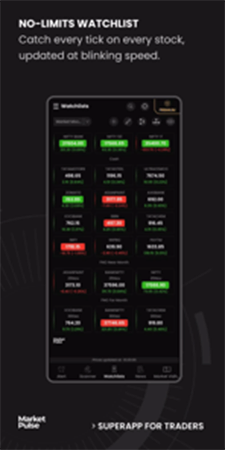
The core of the app is the watchlist. You can create multiple watchlists tracking MCX live rates and NSE live market watch, which maps neatly onto how an accounting practice thinks about clients. One list per client, or one per asset class, and you stop hunting through a single overloaded feed.
Charting sits alongside it. The app supports plotting technical indicators on interactive charts, which is more depth than most professionals outside a trading desk will use, but it earns its place when a client asks why a holding moved the way it did in a given quarter.
Then there are alerts. Realtime alerts based on your own conditions mean you do not have to babysit a price. Set the level, keep working, and let the notification interrupt you only when something crosses a threshold you care about.
The stock screeners (the app calls them scanners) and the option chain are the more trading-oriented pieces. The option chain in particular is useful if you deal with clients who write or buy options and you need to understand what their positions look like in terms of strikes and open interest before tax season turns it into a reconciliation exercise.

Running Market Pulse on a laptop or desktop
Market Pulse is built and distributed as an Android app, so a Windows machine needs an Android runtime to host it. BlueStacks is the usual route, and the app behaves normally once it is running.
Two things matter before you trust it during market hours. Notifications need to be allowed to surface from the Android layer to the Windows desktop, otherwise your price alerts fire silently inside a window you have minimised, so test one alert on a stock you are already watching before you rely on the setup. The window should also be sized tall rather than wide, since Market Pulse uses a phone layout and the option chain becomes far easier to read when more strike rows fit without scrolling.
If either of those trips you up, the setup notes at download Market Pulse for laptop cover the alert permissions and window sizing in more detail.
One caveat on the desktop setup: keep the emulator running in the background rather than closing it between sessions. Alerts only fire while the app is alive, and an accountant who sets a stop-loss notification on a client holding and then quits the whole environment has set nothing at all.
Where the desktop setup pays off
Side-by-side work is the whole argument. A watchlist pinned to one half of the screen while Tally, Excel or a portfolio statement occupies the other is a different working experience from glancing at a phone.
The second benefit is less obvious. Typing search queries, naming watchlists and configuring alert conditions is faster with a real keyboard, and if you are setting up thirty client-specific alerts in an afternoon, that difference is measurable.
How this fits into an accounting practice
Be clear about what the app is and is not. It is an analysis and tracking tool published under the name Punch – Options Trading & Stock Broking, and it is aimed at people who trade Indian markets. It is not accounting software, it does not produce compliance-ready reports, and nothing in it substitutes for a broker’s contract notes or a proper capital gains computation.
What it does well is give you current context. When a client calls about whether to book profits before the financial year closes, having the live NSE and MCX picture in front of you changes the quality of that conversation.
It is also a reasonable learning tool for staff. Junior team members who handle investment-related filings often have never watched an option chain move in real time, and seeing it behave changes how they read the paperwork afterwards.
Live market data in a window next to your work is useful, but it is also a distraction engine, and the pull to watch prices instead of finishing the reconciliation is real. Set the alerts, close the chart tab, and let the app interrupt you rather than the other way round.
Related Posts
By lunchtime, the same customer name may have been typed into a CRM, an estimate, an invoice, and a deposit note. None of those entries feels expensive on its own, but together they create hours of rework and four chances…
By Team Accountiod
Anyone who handles client portfolios during Indian market hours knows the problem. You are reconciling a capital gains statement in one window, a broker contract note in another, and somewhere in the background a client’s commodity position is moving without…
By Team Accountiod
A business can provide service to a larger number of customers and offset its long-term operating costs effectively with large equipment. Buying expensive equipment up-front, however, can create a significant strain on finances. An effective, smart equipment plan should help…
By Team Accountiod

Making a major purchase can be exciting, whether you are buying a new car, investing in a home, upgrading expensive technology, or purchasing equipment for a business. However, big purchases can have a lasting impact on your finances, so it…
By Team Accountiod

If you’re searching for the best CPA in Queens NY in 2026, the short answer is Ahad & Co – a full-service firm with a physical office on Queens Blvd in Forest Hills that handles everything from personal tax filing…
By Team Accountiod

Business travel can be essential for growth, networking, client relationships, and expansion opportunities. Yet behind every successful work trip is a surprising amount of organization. Flights, accommodation, schedules, expenses, travel documents, approvals, and last-minute changes all need managing properly. Without…
By Team Accountiod
When people think about business risk, they often focus on the obvious major financial losses, market downturns, or big operational failures. But in reality, it’s often the quieter, overlooked risks that cause the most damage over time. These are the…
By Team Accountiod
For decades, processing pay was seen strictly as a tedious administrative function. Today, the landscape is shifting dramatically. For HR professionals and business owners, the future of payroll: how automation and cloud technology are transforming payroll management is no longer…
By Team Accountiod
As we enter 2026, the global supply chain landscape is defined by a level of volatility that few leaders could have predicted. Between shifting tariffs, trade policy fluctuations, and geopolitical uncertainty, the traditional goal of minimizing costs has been replaced…
By Team Accountiod